
Blog SEO is the practice of optimizing your blog posts and overall blog structure so that they rank in search engine results and attract consistent organic traffic. It covers everything from choosing the right keywords and structuring your posts correctly to building backlinks and fixing the technical issues that stop search engines from crawling and indexing your content properly.
Organic search drives approximately 53% of all website traffic, according to BrightEdge’s 2025 channel research, making it the single largest traffic source available to most websites. The first organic result on Google earns an average click-through rate of 39.8%, while the top three results together capture over 68% of all clicks on a given search page, according to FirstPageSage’s 2025 analysis. If your blog posts are not ranking, they are not generating traffic, and if they are not generating traffic, they are not generating leads.
This guide covers every element of blog SEO you need to get right in 2026, including keyword research, on-page optimization, technical SEO, link building, and the specific tools that make all of it more manageable.
What Is Blog SEO and Why Does It Matter?
Blog SEO is the process of optimizing your blog content so that search engines can find, understand, and rank it for relevant queries. It is not about tricking Google. It is about making sure your genuinely useful content is presented in a way that search engines can accurately assess and confidently surface to the right audience.
Without SEO, even the best blog post is largely invisible. According to Ahrefs’ research, 96.55% of all pages on the internet get zero organic traffic from Google. The content may be excellent, but if it is not targeting a keyword people search for, structured in a way search engines can parse, or earning any backlinks from other sites, it simply does not get discovered.
With proper SEO, blog content becomes a compounding asset. A well-optimized post can earn first-page rankings within three to six months of publication and continue driving qualified traffic for years afterward, with no ongoing advertising cost. That kind of durable, compounding return is what makes blog SEO one of the highest-ROI activities in content marketing.
Google now processes approximately 13.2 billion searches every day. Appearing in those results for the queries your target audience is typing is the entire point of blog SEO.
Types of SEO
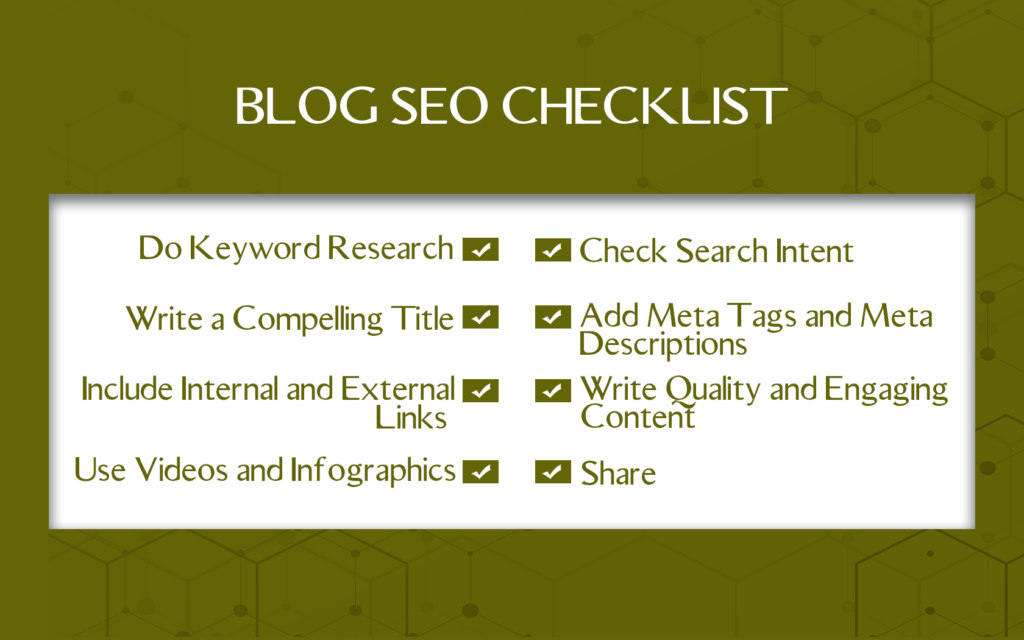
Understanding the three core types of SEO helps you see how blog SEO fits into the broader picture of search visibility.
On-Page SEO
On-page SEO covers everything within a specific blog post or page that affects how search engines understand and rank it. This includes your target keyword, your title tag and meta description, your heading structure, the quality and depth of your content, your internal links, image alt text, and your URL structure.
On-page SEO is the most directly controllable element of blog SEO. Every post you publish is an opportunity to get this right from the start.
Off-Page SEO
Off-page SEO refers to signals outside your website that affect your search rankings. The most important of these is backlinks: links from other websites pointing to your content. Search engines treat backlinks as endorsements of credibility. The more high-quality sites link to your content, the more authority your blog accumulates, and the easier it becomes to rank for competitive keywords.
Off-page SEO also includes brand mentions, social signals, and your overall domain authority, which is built over time through consistent content quality and deliberate link-building activity.
Technical SEO
Technical SEO covers the behind-the-scenes factors that affect how search engines crawl, index, and render your website. Site speed, mobile optimization, Core Web Vitals, HTTPS security, site architecture, and XML sitemaps all fall under technical SEO.
Technical issues can prevent even excellent content from ranking. If search engines cannot efficiently crawl and index your blog, all of your on-page and off-page work is undermined. Getting technical SEO right is a prerequisite, not an optional extra.
How to Do Keyword Research for Your Blog

Keyword research is the foundation of blog SEO. It tells you what your target audience is actually searching for, how much competition exists for each query, and which keywords are realistic to rank for given your domain’s current authority.
Step 1: Start With Seed Keywords
A seed keyword is a broad term that describes your topic area. If you run a content marketing agency, your seed keywords might include “content marketing,” “content strategy,” “SEO writing,” and “blog optimization.” These are starting points, not final targets. Most seed keywords are too broad and too competitive to realistically rank for quickly.
Step 2: Expand Into Long-Tail Keywords
Long-tail keywords are longer, more specific phrases that typically have lower search volume but also lower competition and higher purchase intent. A long-tail version of “content marketing” might be “content marketing strategy for B2B SaaS companies” or “how to build a content calendar for a small business.”
Long-tail keywords account for the majority of all search queries and are significantly more achievable for newer blogs or domains with lower authority. They also tend to convert better because someone searching a specific, detailed question is typically further along in their decision process than someone searching a broad category term.
Step 3: Analyze Search Intent
Search intent is the reason behind a query. Understanding intent is arguably more important than the keyword itself, because Google’s primary job is to match search results to what a user is actually trying to accomplish.
The four main types of search intent are informational (the user wants to learn something), navigational (the user is looking for a specific site or page), commercial (the user is researching options before a purchase), and transactional (the user is ready to buy). Every blog post you create should align with the intent behind its target keyword. A post targeting an informational query should primarily educate. A post targeting a commercial query should help the reader evaluate options.
Step 4: Evaluate Keyword Difficulty and Volume
Once you have a list of potential keywords, assess each one for search volume (how often it is searched per month) and keyword difficulty (how hard it will be to rank for it given the sites already on page one). Tools like Google Keyword Planner, Ubersuggest, and Ahrefs all provide this data.
The keywords worth prioritizing are those with meaningful search volume, realistic difficulty given your domain’s current authority, and clear alignment with your content pillars and audience intent. Chasing high-volume, high-competition keywords before your domain has the authority to compete for them is one of the most common and costly mistakes in blog SEO.
Step 5: Map Keywords to Your Content Pillars
Once you have a validated keyword list, map each keyword to a specific piece of content within your content pillar framework. Each piece of content should target one primary keyword and a handful of related secondary keywords. Never try to rank one post for multiple unrelated keywords. The more focused each post, the more likely it is to rank.
A content cluster approach, where a pillar post targets a broad keyword and supporting cluster content targets related long-tail variations, is one of the most effective structures for building search visibility across an entire topic area simultaneously.
On-Page SEO for Blog Posts
Getting on-page SEO right is the most directly actionable part of blog SEO. Here is what matters most.
Title Tags and H1 Headings
Your title tag is the headline that appears in search results. It is one of the most important on-page SEO elements because it directly influences click-through rate. Include your primary keyword in the title, keep it under 60 characters so it does not get truncated in SERPs, and write it so that it accurately describes the content and gives someone a clear reason to click.
Your H1 heading is what appears at the top of the page when someone lands on your post. It should match or closely mirror your title tag and include your primary keyword naturally.
Meta Descriptions
A meta description is the short summary that appears under your title tag in search results. It does not directly affect rankings, but it significantly affects click-through rate. Write meta descriptions of 150 to 160 characters that accurately summarize the post, include your primary keyword naturally, and give searchers a compelling reason to click rather than choosing a competing result.
Heading Structure
Use H2 tags for your main sections and H3 tags for subsections within those sections. A clear heading structure makes your content easier to navigate for readers and easier for search engines to understand. It also increases the chances of your content being pulled into featured snippets, since Google frequently lifts well-structured heading and body text combinations to answer direct queries.
Keyword Placement
Include your primary keyword in the title, the first paragraph, at least one H2 heading, and naturally throughout the body text. Do not force it. Keyword stuffing actively hurts rankings because it degrades the reading experience and is explicitly penalized by Google’s quality guidelines. Write for your reader first and let keyword placement follow naturally from that.
URL Structure
Keep URLs short, descriptive, and keyword-rich. A URL like contentika.com/blog-seo is better than contentika.com/post?id=2847. Include your primary keyword in the URL and use hyphens rather than underscores to separate words. URLs that include target keywords earn 45% higher click-through rates than those without, according to Backlinko’s 2025 analysis.
Internal Linking
Internal links connect your blog posts to each other, distribute authority across your site, help search engines understand your content architecture, and keep readers engaged for longer by pointing them toward related content. Every blog post you publish should include at least two to three internal links to other relevant posts on your site. Use descriptive anchor text that tells both readers and search engines what the linked page is about.
Image Optimization
Images make content more engaging, but they need to be optimized for SEO. Use descriptive, keyword-relevant file names rather than generic strings like “IMG_4523.jpg.” Add alt text to every image that accurately describes what the image shows and includes your target keyword where it fits naturally. Compress images before uploading them to reduce file size and improve page load speed, which is a direct ranking factor.
Content Depth and Quality
Google’s helpful content guidelines are explicit: content exists to serve the reader, not to game rankings. In 2026, with AI Overviews appearing in 47% of informational queries and zero-click searches accounting for 68% of US Google searches, the content that earns organic clicks needs to be genuinely better than what readers can get from a quick AI summary. That means original research, specific examples, genuine expert perspective, and depth that goes beyond what the top competing results already cover.
Long-form content (2,000 words or more) earns 77% more backlinks than shorter articles and ranks for three times more keywords, according to research published by OnTheMap. That does not mean padding content to hit a word count. It means covering a topic comprehensively enough that someone who reads the post genuinely does not need to go elsewhere for answers.
Technical SEO for Blogs
Technical SEO is less visible than on-page SEO but equally important. These are the factors that determine whether search engines can effectively crawl and index your content in the first place.
Site Speed and Core Web Vitals
Page speed is a direct Google ranking factor, and it matters even more on mobile. According to Google’s own data, 53% of mobile visitors abandon a page that takes more than three seconds to load. Only 54.6% of websites currently pass all three Core Web Vitals metrics, according to Chrome UX Report data from November 2025.
Use Google’s PageSpeed Insights to check your scores and identify specific issues to address. Common culprits for slow load times include uncompressed images, render-blocking JavaScript, and slow server response times.
Mobile Optimization
Mobile search accounts for 63% of all organic search traffic in the US. Google uses mobile-first indexing, which means it crawls and evaluates the mobile version of your site primarily. If your blog does not display and function well on a mobile device, your rankings will suffer regardless of how good your content is.
XML Sitemaps
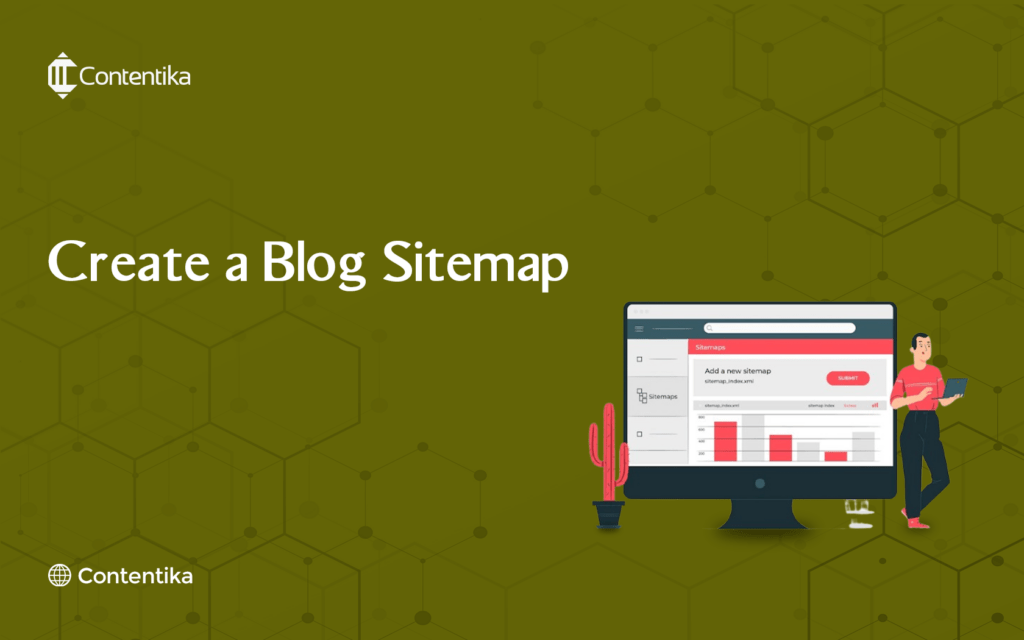
An XML sitemap is a file that lists all the URLs on your website and tells search engines which pages exist and when they were last updated. Submitting your sitemap to Google Search Console ensures that new content is discovered and indexed as quickly as possible. Tools like XML-Sitemaps.com generate sitemaps automatically for most site structures. Most major SEO plugins also handle this automatically.
HTTPS
If your blog is not served over HTTPS, that is a ranking issue you need to fix immediately. HTTPS is a confirmed Google ranking factor and a basic trust signal for readers. Most hosting providers make SSL certificates available at no additional cost.
Crawlability and Indexing
Use Google Search Console to check that your blog posts are being properly indexed. The Coverage report shows any pages that are blocked from crawling or excluded from the index. The URL Inspection tool lets you check the index status of individual posts and request indexing for new content.
Screaming Frog is a powerful technical SEO audit tool that crawls your site and identifies issues including broken links, duplicate content, missing title tags or meta descriptions, and redirect chains. It is worth running periodically to catch issues that accumulate over time.
Link Building for Blogs
Backlinks remain one of the most significant ranking factors in Google’s algorithm. Pages ranking at the top of competitive search results have substantially more backlinks than those on page two and beyond. Building links to your blog content is how you build the domain authority that allows you to rank for competitive keywords over time.
Create Content Worth Linking To
The most sustainable link-building strategy is producing content that other sites genuinely want to reference. Original research, comprehensive guides, useful tools, unique data, and authoritative takes on important topics in your niche all attract links naturally. For a full guide on how to build links effectively, see our dedicated article.
Guest Publishing
Writing articles for other established blogs and publications in your niche, with a link back to your own site, is one of the most reliable link-building tactics available. The key is targeting sites with genuine editorial standards and audiences that overlap with yours, rather than low-quality directories or link farms.
Digital PR and Original Research
Publishing original data, surveys, or research that journalists and bloggers in your industry want to cite is one of the highest-value link-building approaches available. A single piece of well-promoted original research can generate dozens of backlinks from high-authority domains.
Broken Link Building
This involves finding broken links on other websites that point to resources your content could replace, then reaching out to the site owner to suggest your content as a replacement. It provides genuine value to the linking site while earning you a relevant backlink.
The Best Blog SEO Tools in 2026
Yoast SEO
Yoast SEO is the most widely used WordPress SEO plugin. It guides you through on-page optimization for each post with a real-time analysis of your keyword usage, readability, title tag, meta description, and internal linking. Its traffic light system makes it easy to identify and fix SEO issues before you publish.
Rank Math
Rank Math is a strong alternative to Yoast that offers more advanced features in its free tier, including schema markup, rich snippet support, and Google Search Console integration. It is increasingly the preferred choice for users who want more control without paying for a premium plugin.
All in One SEO Pack
All in One SEO Pack is one of the oldest and most established WordPress SEO plugins. It covers all core on-page SEO functions and is particularly well suited to eCommerce sites running WooCommerce alongside their blog.
SEOPress
SEOPress is a lightweight, fast, and affordable WordPress SEO plugin that covers title tags, meta descriptions, XML sitemaps, social sharing, and schema markup. Its performance-first design makes it a good choice for sites where page speed is a priority.
Google Search Console
Google Search Console is free and essential. It shows you which queries your content ranks for, your average ranking position for each, your click-through rates, and any indexing or crawling errors that need attention. It is the most direct source of data on how Google sees your blog.
Ahrefs
Ahrefs is the go-to tool for comprehensive SEO research. Its keyword explorer provides search volume, keyword difficulty, and click data. Its site explorer shows your backlink profile and your competitors’ keyword rankings. Its content explorer identifies the highest-performing content in any niche. It is the tool most professional SEOs rely on as their primary research platform. Plans start at $129 per month.
SEMrush
SEMrush covers keyword research, competitor analysis, rank tracking, backlink analysis, and content optimization in one platform. Its Keyword Magic Tool is one of the most powerful keyword research interfaces available, and its Position Tracking feature lets you monitor your rankings for a defined keyword set over time. Entry-level plans start at $139 per month.
SurferSEO
SurferSEO analyzes the top-ranking pages for your target keyword and gives you data-driven guidance on content length, heading structure, keyword usage, and content gaps as you write. It bridges the gap between keyword research and content creation in a way that most other tools do not.
Google Analytics
Google Analytics tracks how visitors find your blog, what they do once they arrive, how long they stay, and whether they convert. It is the essential performance measurement tool for any blog SEO program and integrates directly with Google Search Console for a complete picture of organic search performance.
Screaming Frog
Screaming Frog crawls your website the way a search engine does, identifying technical issues including broken links, missing meta data, redirect chains, duplicate content, and crawl errors. The free version crawls up to 500 URLs, which is sufficient for most small blogs. The paid version costs £259 per year and handles unlimited URLs.
Conclusion
Blog SEO is the discipline that turns your content from a publishing exercise into a long-term organic growth engine. Get it right and your posts earn consistent, qualified traffic for months and years after they are published, with no ongoing advertising spend required. Get it wrong and even genuinely excellent content remains largely invisible.
The fundamentals have not changed: create content that genuinely serves your audience, optimize it so search engines can understand and rank it, build the backlinks that establish your domain’s authority, and fix the technical issues that get in the way. What has changed is the competitive bar, which is higher than it has ever been, and the importance of genuine depth and originality in a content landscape increasingly saturated with AI-generated commodity content.
The blogs that earn and hold top rankings in 2026 are the ones that invest in real expertise, real research, and real optimization, consistently over time.
If you want help building a blog SEO strategy that drives consistent organic traffic for your business, the Contentika team is ready to help.
Frequently Asked Questions
What is blog SEO?
Blog SEO is the process of optimizing your blog posts and blog structure so that search engines can find, understand, and rank them for relevant queries. It includes keyword research, on-page optimization (title tags, headings, internal links, image optimization), technical SEO (site speed, mobile optimization, sitemaps), and link building. The goal is to earn consistent organic search traffic that brings qualified readers to your blog without paid advertising.
How long does it take for a blog post to rank on Google?
Most blog posts take three to six months to rank meaningfully in organic search. According to Ahrefs’ research, only 1.74% of newly published pages reach the top 10 search results within one year, and 72.9% of pages ranking in Google’s top 10 are more than three years old. Blog SEO is a long-term investment: the content you publish today builds compounding returns over months and years, not days and weeks.
What is the most important SEO factor for blog posts?
Content quality and relevance to the searcher’s intent are the most foundational factors. Beyond that, the most important measurable factors are backlinks (which build domain authority), keyword optimization (which helps search engines understand what the post is about), and technical performance (which determines whether the post can be effectively crawled and indexed). All three need to work together for a post to rank competitively.
How many keywords should I target per blog post?
Target one primary keyword per post, supported by two to five closely related secondary keywords that naturally appear in thorough coverage of the topic. Targeting one primary keyword keeps the post focused and gives search engines a clear signal about what the page is primarily about. Secondary keywords capture related long-tail searches without diluting that focus.
Does blog post length affect SEO?
Yes, but length should reflect topic depth rather than an arbitrary word count target. Research consistently shows that long-form content (2,000 words or more) earns significantly more backlinks and ranks for more keywords than shorter content. However, a 3,000-word post padded with filler performs worse than a focused 1,200-word post that comprehensively covers its topic. Write as much as the topic genuinely requires.
What is the difference between on-page SEO and technical SEO?
On-page SEO refers to the elements within a specific page or post that affect how search engines rank it, including title tags, headings, content quality, keyword placement, internal links, and image optimization. Technical SEO refers to site-wide factors that affect how search engines crawl and index your website, including page speed, mobile optimization, Core Web Vitals, HTTPS security, and site architecture. Both need to be in good shape for blog SEO to work effectively.
How do I get backlinks to my blog?
The most sustainable approach is creating content that other sites genuinely want to link to: original research, comprehensive guides, unique data, and authoritative pieces that become go-to references in your niche. Guest publishing on established blogs in your category, digital PR around original research, and broken link building are the most reliable active link-building tactics. Buying links violates Google’s guidelines and can result in manual penalties that take significant time and effort to recover from.